셀프 호스팅 및 배포
오픈 웹 캘린더를 직접 호스팅할 필요는 없지만, 호스팅을 권장합니다. 회사 방화벽 뒤에서 프록시를 통해 작동하며 인터넷에 접속하지 않아도 됩니다.
Several hosting options are already documented. We are grateful if you can add your favorite one, too.
- Choose a hoster. These are listed below.
- Read about Configuration.
Vercel
You can create a fork of this repository which automatically deploys to Vercel:
Alternatively you can create a one off deploy by cloning this repository and running npx vercel at the root.
Heroku
You can deploy the app using Heroku.

Heroku는 서버를 실행하기 위해 gunicorn을 사용합니다. Procfile을 참조하세요.
Cloudron
The Open Web Calendar has been integrated into Cloudron.
YunoHost
The Open Web Calendar is available as an app for YunoHost.

Docker
If you run your own server, you can choose to run the Open Web Calendar with Docker. Building, running and updating are documented here.
파이썬 패키지
You can choose to run the Open Web Calendar installed as a Python package from PyPI. To do this, have a look at the documentation.
Update Notifications
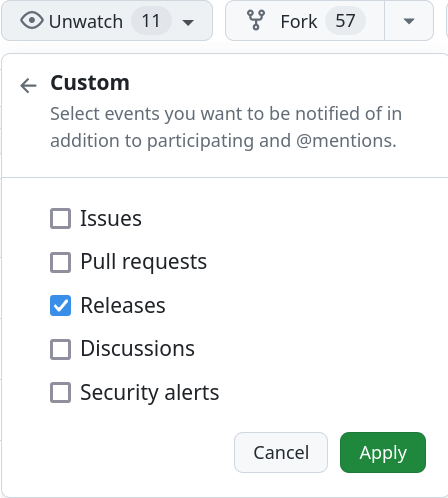
If you wish to receive notifications about new updates of the software, watch the GitHub repository.
추가 구성
자체 서버를 설정한 후에는 동작방식 구성하기을 할 수 있습니다.